
Facilities teams and their contractors
Clear trade records for the people running your buildings.
CertifyApps helps the professionals carrying out inspections, tests and installation work create the finished documents. Facilities teams can review the sample output; organisations with their own engineers can evaluate the relevant apps for record creation.
Start by identifying who creates the records.
If external contractors carry out the work, they create and issue the relevant documents. You can receive the PDFs without a CertifyApps subscription. Agree which site references, document types and delivery arrangements you need before the visit.
If your organisation employs the professionals doing the work, evaluate the apps for those users. Include the people who create and review documents in a small pilot before selecting plans for a wider team.
See what your team or contractor can hand over.
Emergency lighting and fire assessment examples show how site details, findings and schedules appear in the customer document. The sample library covers all seven apps.
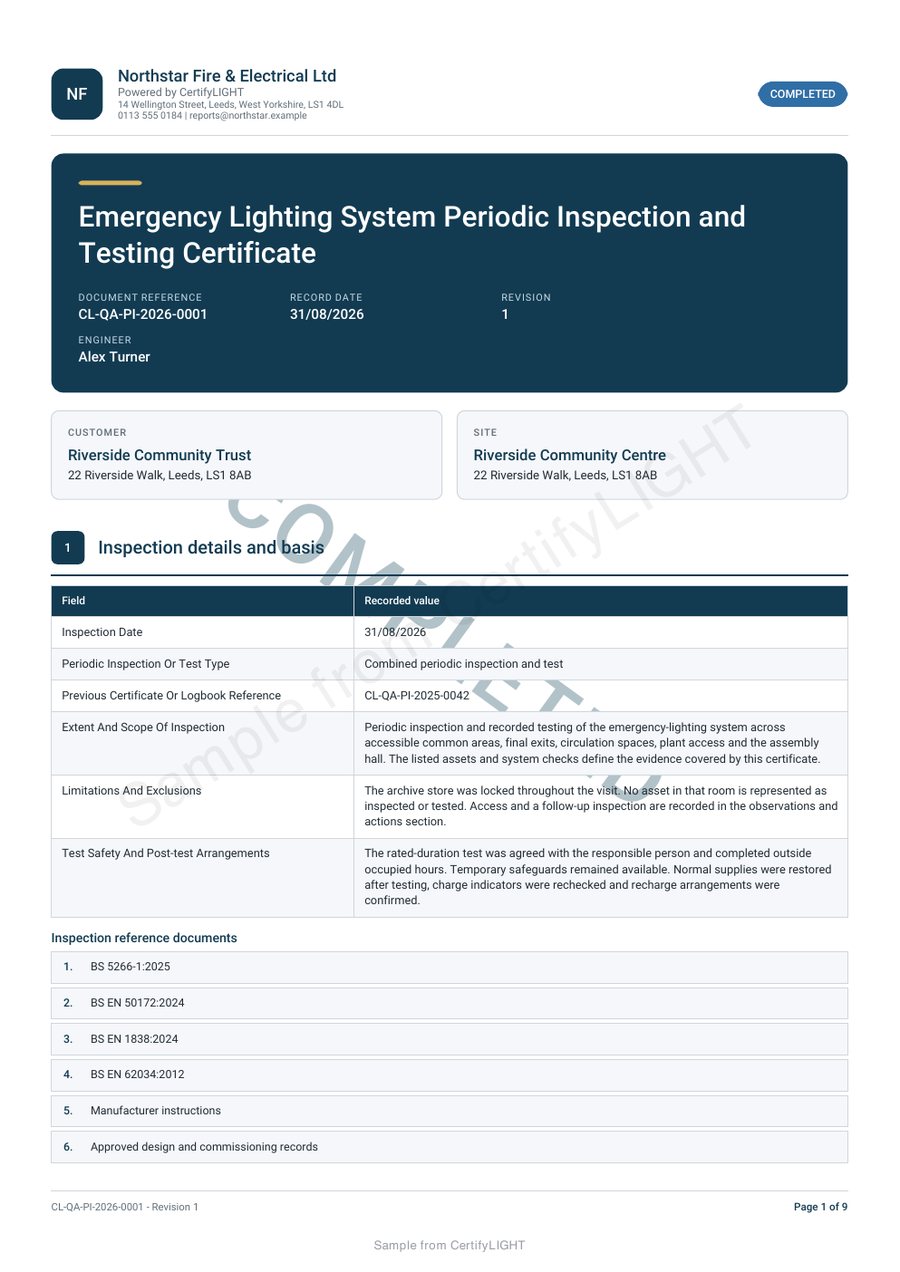
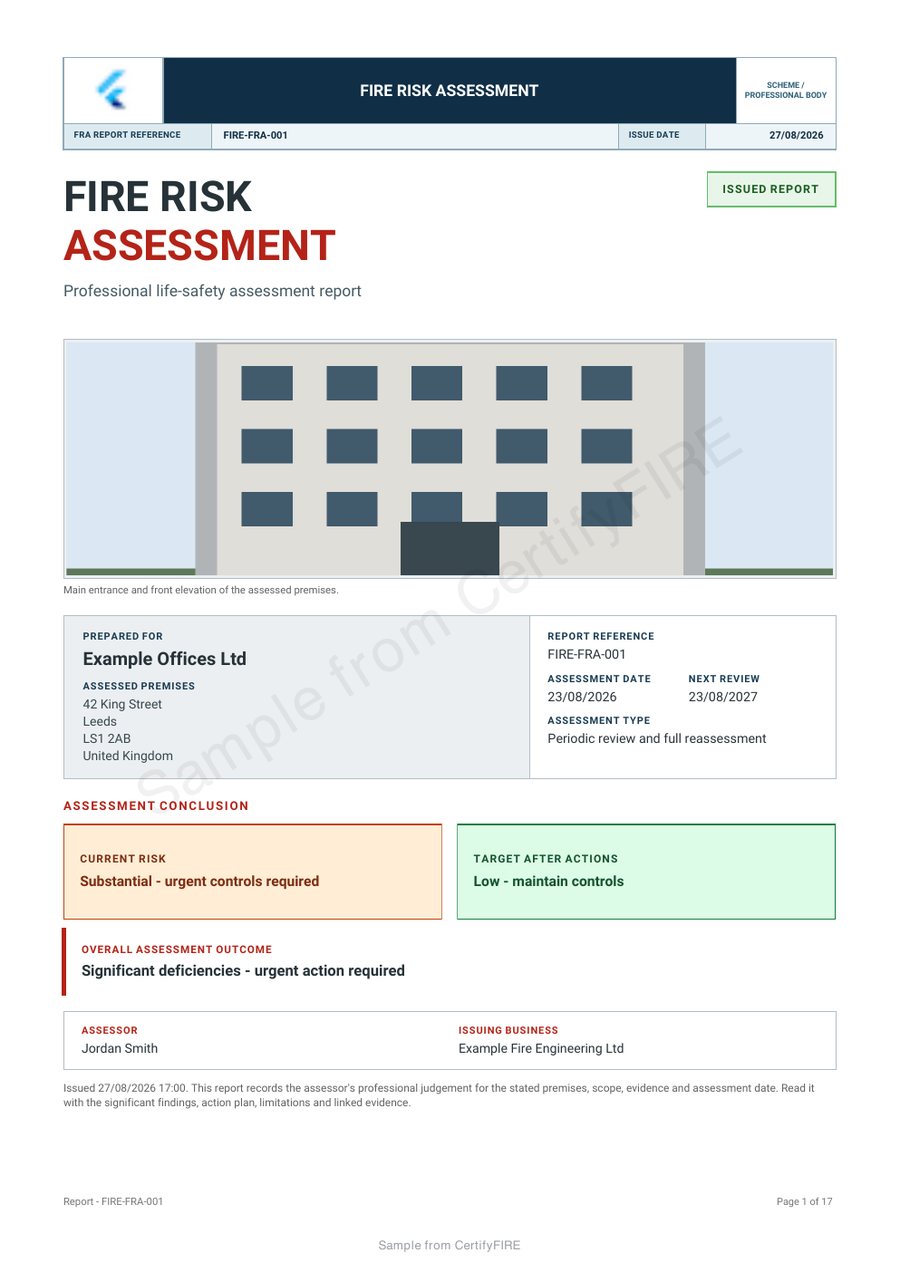
Make the handover useful across different buildings.
A building name alone may not identify a location clearly enough. Agree references for blocks, floors, rooms or equipment so a recipient can connect a finding with the right place. Keep the instructing customer, work location and intended recipient distinguishable.
Review the complete PDF, including schedules and longer notes. A clear summary needs enough supporting detail for someone who was not present during the visit to follow the record.
Use the right product for each discipline.
The family covers gas, electrical, PAT, fire assessment, emergency lighting, fire alarm and renewable installation documentation. Match each app to the actual work and confirm the document types your professionals need.
CertifyApps is a documentation product family. Do not assume it includes a portfolio dashboard, contractor marketplace or integration with your facilities system. Ask about a specific requirement before planning around it.
Pilot a realistic handover before a wider rollout.
Choose a representative building and document, then review the output with both the engineer and the person receiving it. Check references, branding, review responsibilities and the way the issued version will be retained.
Read the team rollout guide and data and security information. Tell us the trades, number of document creators and existing systems involved so we can discuss the appropriate app routes.
Before you choose
Do facilities managers need a subscription to receive PDFs?
No. A recipient can receive and keep the finished PDF without subscribing. App access is relevant when your authorised professionals create or manage records in the product.
Is this a complete facilities management system?
CertifyApps focuses on trade certificates, reports and records. Confirm any integration, portfolio view or contractor-management requirement separately.
Can we evaluate it for our own engineers?
Yes. Tell the team which disciplines, document types and users are involved so you can plan a representative evaluation.
Discuss software for your in-house professionals
This enquiry is for organisations whose engineers or assessors create records. Include the trades, document types and number of users. If you only receive contractor PDFs, you do not need to buy an app subscription.
This sends an enquiry to the team. It does not create an app account, start a subscription or book an inspection.
Prefer email? [email protected]