
CertifyELECTRIC documents
EICR reports that hold together beyond the cover page.
Keep installation details, inspection scope, observations and schedules in a structured report. CertifyELECTRIC helps electricians prepare professional documents without assembling the customer output in a separate editor.
An EICR is a report of the inspection, not just a pass label.
The reader needs to understand which installation was inspected, the scope of the work and the recorded findings. A clear summary is useful only when it is supported by the detail elsewhere in the report.
The CertifyELECTRIC sample includes client and installation details, inspection scope, observations, assessment outcome and circuit schedules. Review the complete document, including the dense schedule pages.
Inspect the complete CertifyELECTRIC sample
See the app-generated EICR report with example company branding and a sample watermark. Open every page to review the tables and document detail.
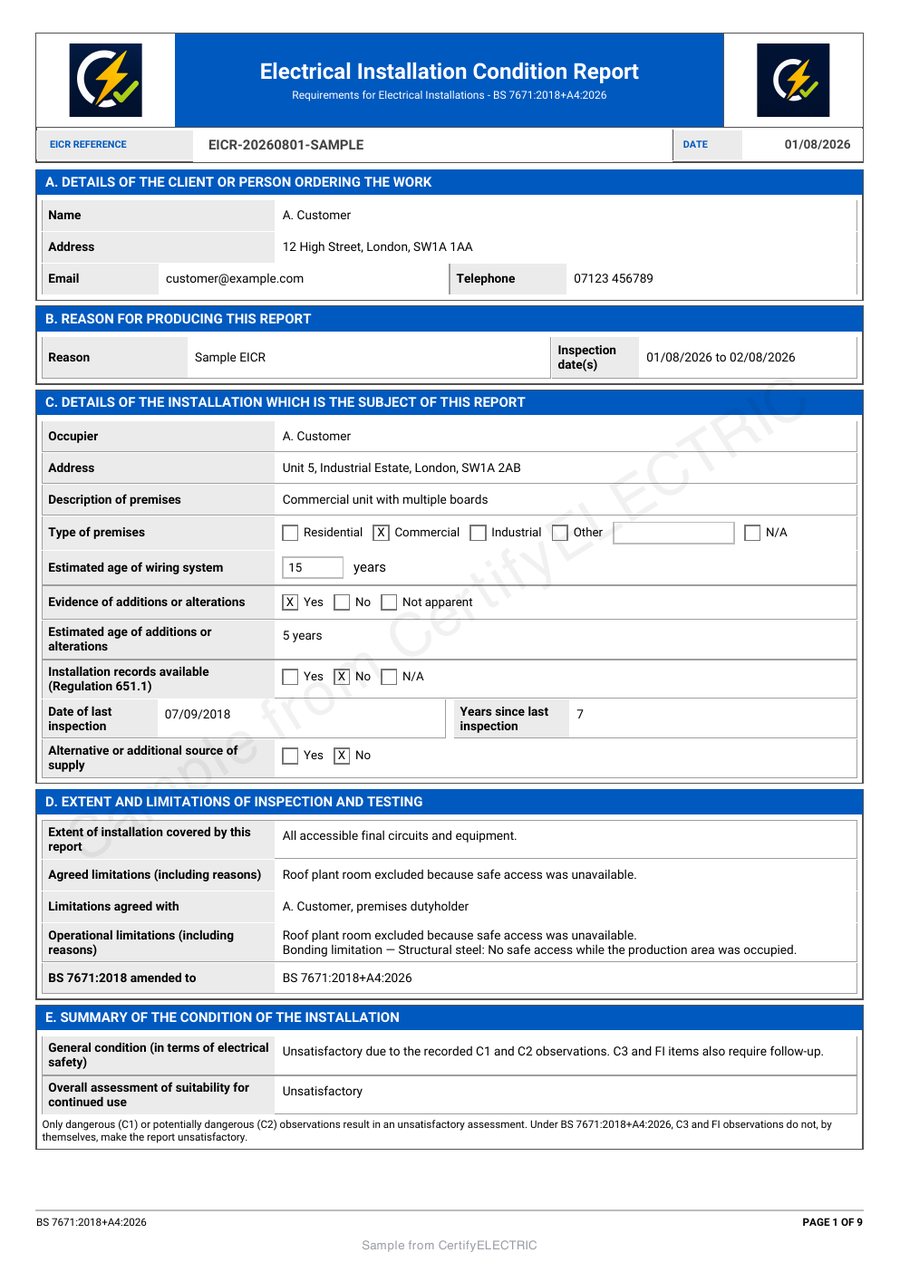
Keep board, circuit and observation references consistent.
Repeated or ambiguous references make a report harder to follow. Use a representative installation when evaluating the app, including the board descriptions and longer observations you encounter in practice.
Check that the exported tables are legible, that notes remain attached to the correct context and that the finished record identifies the professional and business responsible for the work.
Brand the report without obscuring the technical content.
Company logos and colours give the document a recognisable identity. The result should still be easy to read on a phone, on a larger screen and when printed. Available branding controls depend on the document and plan.
Explore CertifyELECTRIC for the wider app information, or read the electrician workflow page. The professional remains responsible for the inspection, classifications, conclusions and review before issue.
Before you choose
Can I see the schedules before requesting access?
Yes. The full watermarked EICR sample includes the report and schedules, not only its first page.
Can my customer receive the report without using CertifyELECTRIC?
Yes. You can send the completed PDF to the customer without requiring them to subscribe.
Does an EICR sample show every electrical document available?
No. Confirm the exact certificate and report types required by your business on the product route or with the team.
Find the right plan for your work.
Review CertifyELECTRIC plans or ask about a specific document or setup. Free starter access is an evaluation route; included features and limits depend on the selected app and plan.
Start with your trade app
CertifyELECTRIC
Direct link coming soon
Need access or plan information now? Request help from the team.