
Renewable installer handover guide
Make the heat pump handover pack easy to navigate.
Treat the installation record as one part of the customer handover. Identify the installed equipment, organise the required supporting documents and show the customer where to find operating information, aftercare contacts and the records for their system.
Published by CertifyApps on . All document guides.
What is the difference between a record and the whole pack?
An installation record describes a particular body of work. A handover pack brings that record together with the other documents needed for the installation and customer. A single well-presented PDF should not be mistaken for every required certificate, calculation or manual.
Energy Saving Trust’s heat pump installation guide explains that handover includes guidance on the controls, warranty information and instructions. Check the current scheme, contract and manufacturer requirements for the actual installation; this guide is an organisation aid rather than a complete compliance checklist.
Inspect the CertifyECO sample PDF.
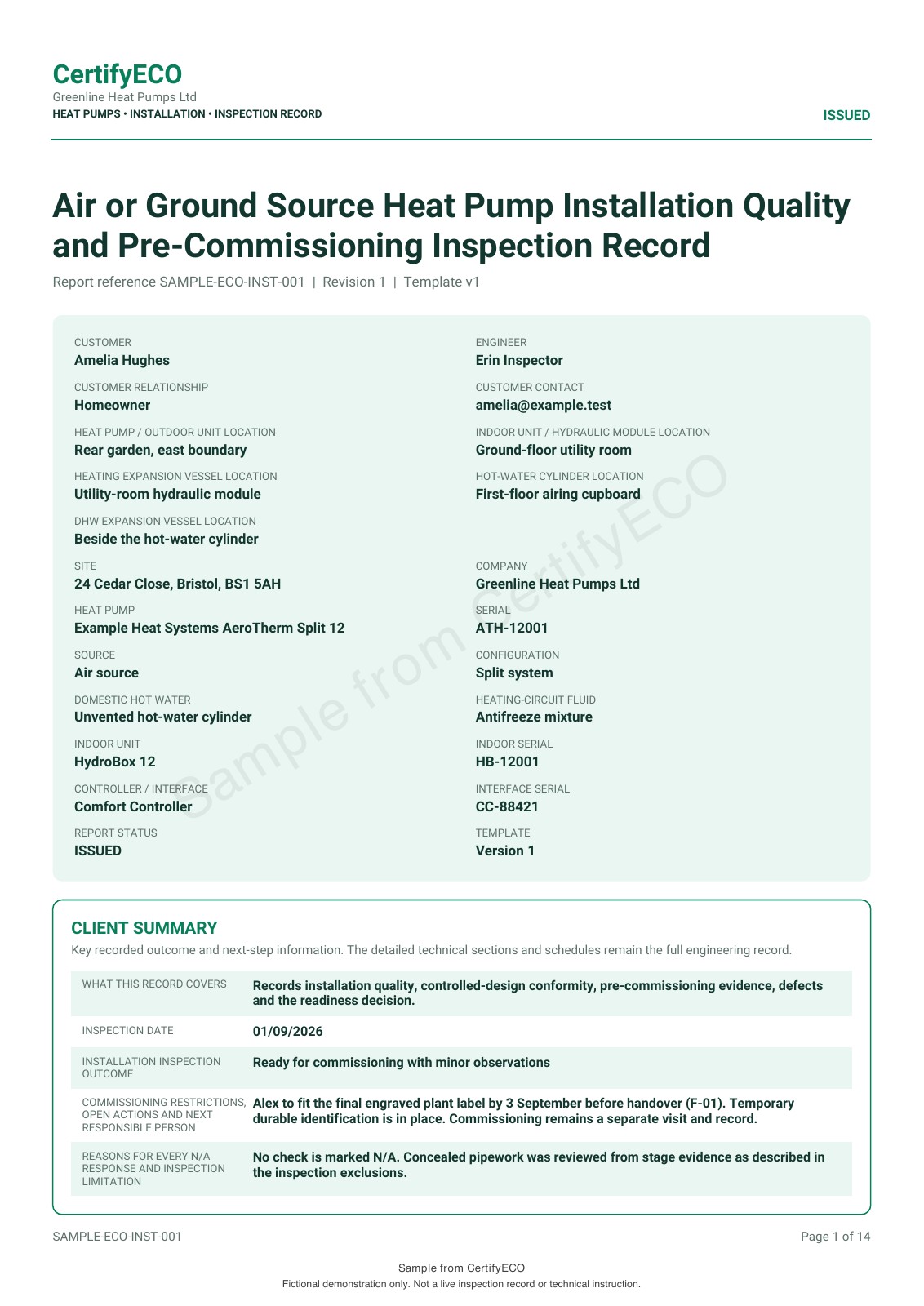
Review the full heat pump installation record, not just its first page. The refreshed sample shows a client summary, green report styling, fictional business details and an app-specific watermark.
This ECO export does not demonstrate a custom company logo or editable colour controls. Confirm those options for your app version, document and plan before subscribing.
Identify the installed equipment across the documents.
Check that the customer and installation address are consistent and that model or equipment references relate to what was actually installed. A generic product brochure is not a substitute for information that identifies the customer’s system.
For a demonstration, use a fictional customer, separate equipment references and a clear list of included documents. Do not invent commissioning readings, signatures or scheme certificate numbers to make the example appear complete.
Use a simple handover index.
- Installation and professional records: the documents for the work, with references and dates.
- System information: the relevant design and equipment information for the installation.
- Operating information: manufacturer instructions and the customer-facing information supplied at handover.
- Maintenance and aftercare: the relevant requirements, contact information and warranty documents.
- Separate certificates: applicable scheme or other certification obtained through the required process.
Make it clear which documents are included, which are supplied separately and who is dealing with any outstanding item. The exact pack depends on the installation.
Connect the paperwork with the customer explanation.
Energy Saving Trust’s installation guide describes explaining the controls and supplying instructions, warranty information and documentation at handover. Organising the pack should support that conversation, not replace it.
Use readable filenames and an agreed handover route. Confirm that the customer can open the files and knows which business to contact about the installation. Record what was supplied through your business’s handover process.
Evaluate the installation record in the context of the pack.
Inspect the CertifyECO heat pump record sample, including the detailed pages and business details. The sample uses the native green report style; it does not demonstrate custom logo or colour controls. Manufacturer documents retain their own identity.
Explore CertifyECO and the renewable installer route. Confirm the exact document and plan needed. Do not assume the app generates an MCS certificate, registers a system with a scheme or replaces third-party documentation. The customer can receive your exported record without subscribing.
Before you choose
Is the CertifyECO sample the complete customer handover pack?
No. It is an example installation record. The full pack may require additional design information, manuals, warranty details and separate certification for the actual installation.
Does exporting an installation record create an MCS certificate?
Do not assume that. Scheme certification and registration have their own requirements and processes. Confirm any product integration separately.
Can I put my company branding on my own record?
The ECO sample includes business details and the green report style, but does not demonstrate custom logo or editable colour controls. Confirm those options for your document, app version and plan. Third-party documents retain their own issuer and identity.
Does the homeowner need an app account?
No account is needed simply to receive and read the exported PDF. The professional uses the app to create the record.
Choose the app for your professional work.
Review CertifyECO plans, explore free starter or ask about an essential document or device requirement. Direct registration and purchase links are not yet active on this website; the enquiry route does not start a paid subscription.
For software support, email [email protected]. For findings or safety questions about an issued record, contact the professional who carried out the work.
Start with your trade app
CertifyECO
Direct link coming soon
Need access or plan information now? Request help from the team.