
Fire alarm engineer document guide
Make the fire alarm document match the work carried out.
Name the system, identify the purpose of the document and make its scope clear. A verification certificate, installation record and service document should not be treated as interchangeable simply because they concern the same premises.
Published by CertifyApps on . All document guides.
Start with the required document, not a familiar template.
Confirm what work is being documented and which form is appropriate before entering the job. Check the premises and system details, the responsible parties recorded on the form and the scope of the professional’s sign-off.
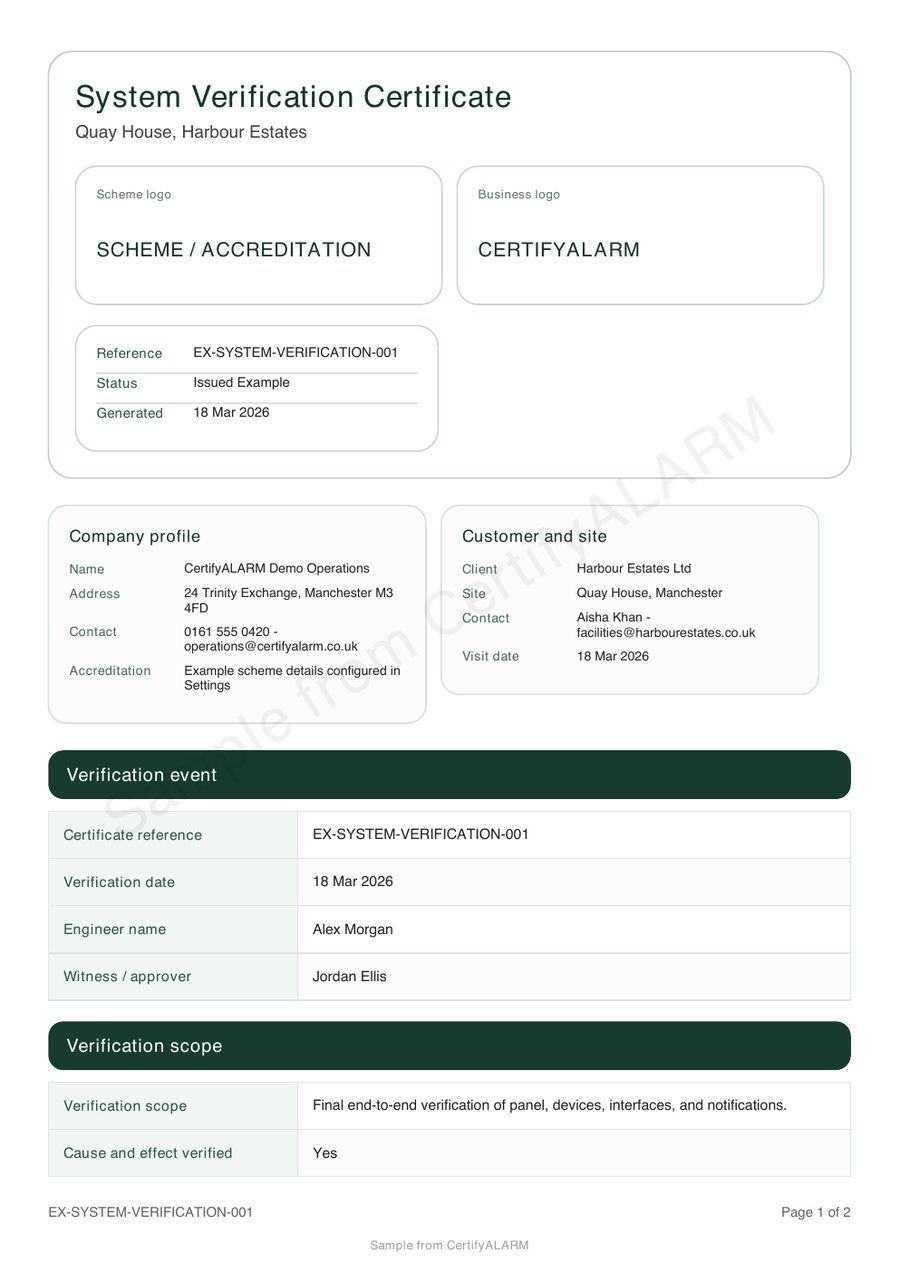
The public CertifyAlarm sample is a verification certificate. It provides evidence of that example layout, not proof that every possible alarm document, standard edition or system arrangement is supported. Confirm your exact requirement during evaluation.
Inspect the CertifyAlarm sample PDF.
Review the full fire alarm verification certificate, not just its first page. The sample shows example company branding and an app-specific watermark.
Company logos and available colour controls help make your own documents recognisable. Check the options for your app, document and plan.
Use system and location references consistently.
A site can contain more than one system or building. Agree the references needed to distinguish the work. Where the chosen document records devices, zones or areas, use its fields consistently and check that associated notes identify the intended item.
For a fictional evaluation, include a main building and an annex with distinct references. Add a longer note so you can inspect how the PDF handles useful detail rather than testing only short labels.
Keep routine records and professional documents connected but distinct.
The premises may already have an event log and other system documentation. A professional visit document should be identifiable within that wider record set; it does not turn every earlier entry into part of the work you carried out.
GOV.UK’s maintenance guidance includes working fire alarm systems and recording equipment faults. Use the relevant requirements and system information for the actual work. This page does not prescribe a testing routine or fault-response procedure.
Review scope, findings and handover together.
- Check the identity.
Confirm the premises, system reference and issuing business.
- Check the document purpose.
Make sure its title and scope match the professional work being recorded.
- Read the detail.
Review notes, findings and any schedules, including items that could not be completed.
- Confirm the issued version.
Check the current record information and appropriate sign-off, then send it to the agreed recipient.
Outstanding matters should remain visible. Issuing a document is not evidence that every previously reported fault has been resolved.
Make your company's output recognisable.
Your logo, company details and available colour settings can make documents consistent across the business. Check that branding leaves sufficient room for longer system descriptions and notes. The sample uses example branding and a sample watermark.
Explore CertifyAlarm and the fire alarm engineer route. Use the handover checklist before sending the final PDF. Customers can read the document without purchasing an app subscription.
Before you choose
Does a verification sample also prove the service-document workflow?
No. Confirm and evaluate the actual document type required for your work. A sample of one form does not demonstrate every other form.
Should the system reference appear consistently through the record?
Yes. Consistent references help the reader connect the scope, notes and any schedules to the intended system or area.
Does a new certificate close every fault in the site log?
No. A document describes its stated work and scope. Any claim that a fault has been resolved needs appropriate supporting information.
Is this a fire alarm testing instruction?
No. It is a guide to document selection and handover, not a technical testing or emergency-response procedure.
Choose the app for your professional work.
Review CertifyAlarm plans, explore free starter or ask about an essential document or device requirement. Direct registration and purchase links are not yet active on this website; the enquiry route does not start a paid subscription.
For software support, email [email protected]. For findings or safety questions about an issued record, contact the professional who carried out the work.
Start with your trade app
CertifyAlarm
Direct link coming soon
Need access or plan information now? Request help from the team.