
PAT labels guide
Test a small batch of PAT labels before a full site rollout.
The useful test is the label you can actually print and read with your equipment. Check the printer, device, stock and asset identifier together before depending on the setup for a busy job.
Write down the exact setup.
Record the printer model, connection method, operating system and label dimensions. Include whether you intend to use a barcode, QR code or printed identifier and how you will read it during the next visit.
Send those details to support for a compatibility question. A printer working with another application does not establish compatibility with CertifyPAT.
Print, inspect and scan representative identifiers.
- Start with example data.
Use a short identifier and the longest realistic identifier your business expects.
- Inspect the physical output.
Check clipping, text size, contrast and whether the selected label stock fits the printer.
- Read the code back.
Use the intended scanner or device and check that the returned identifier matches the correct appliance.
- Check the human-readable text.
A damaged code should not leave you with no way to identify the equipment.
- Compare the record and PDF.
Make sure the equipment label and customer output refer to the same item.
Labels support record management; they do not replace the work.
HSE explains that labels and records can help manage equipment maintenance, but they are not a blanket legal requirement for PAT activity. See HSE’s PAT FAQs.
A printed label is not a substitute for the appropriate inspection or test, and a scanned identifier is not a current result. Avoid labelling language that could be mistaken for work that has not been done.
Check plan features before committing to hardware.
Review the CertifyPAT plan comparison and confirm the workflow for your device. Keep a successful test label and its example record so the setup is repeatable.
For equipment identity, see the appliance register guide.
Inspect the complete CertifyPAT sample
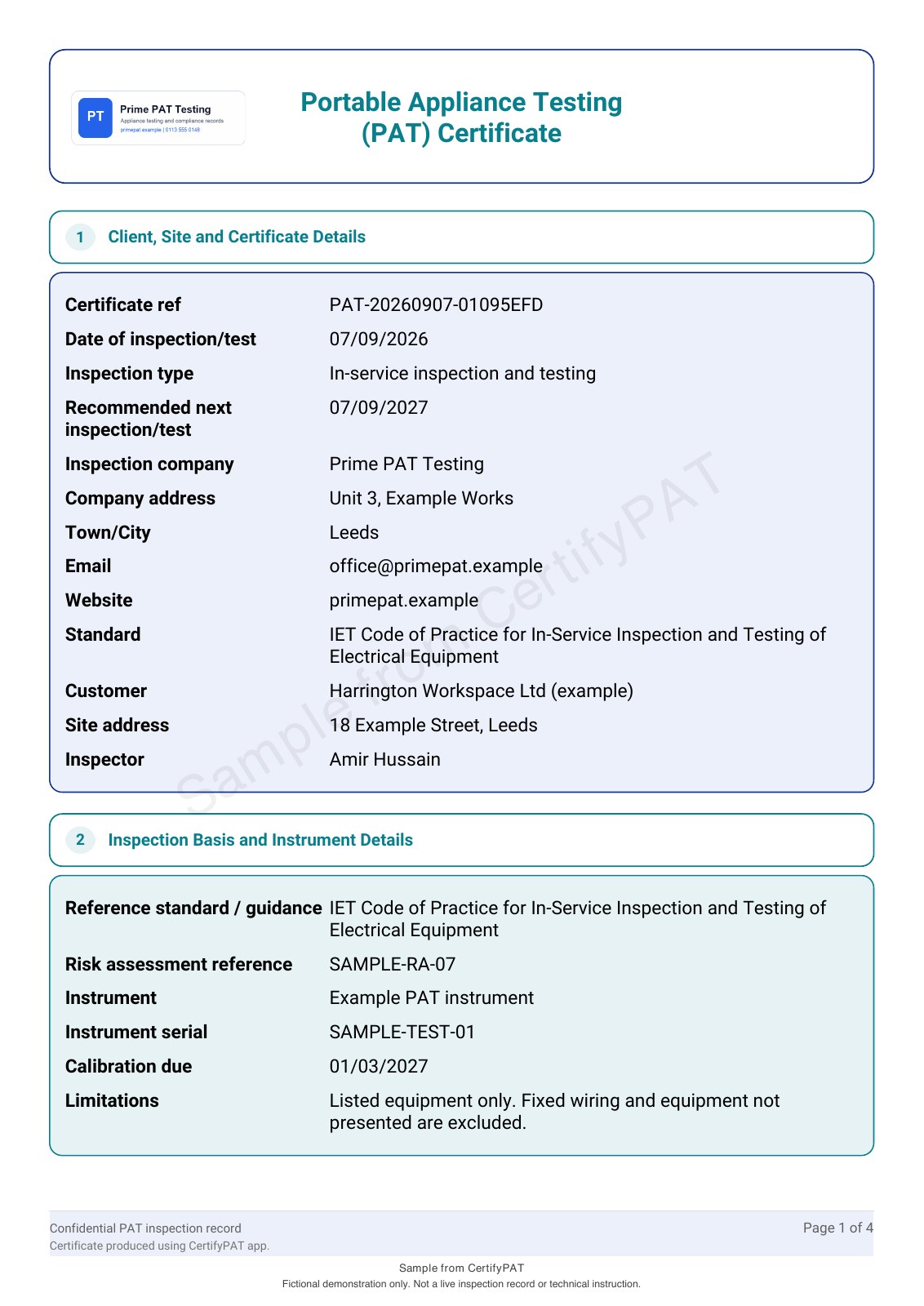
See the app-generated PAT certificate with example company branding and a sample watermark. Open every page to review the tables and document detail.
Before you choose
Can I assume a Bluetooth label printer will work?
No. Confirm the exact model, device and supported connection, then test real output before buying or deploying it.
Should I test only a short asset code?
No. Include the longest realistic identifier and check both scan reliability and readable text.
Find the right plan for your work.
Review CertifyPAT plans or ask about a specific document or setup. Free starter access is an evaluation route; included features and limits depend on the selected app and plan.
Start with your trade app
CertifyPAT
Direct link coming soon
Need access or plan information now? Request help from the team.