
CertifyLIGHT documents
Emergency lighting test reports with clear locations and schedules.
Keep site details, inspection tables and test schedules together. CertifyLIGHT helps engineers turn the recorded work into a professional document for the customer or building manager.
Make each location easy to identify.
Similar descriptions across corridors, floors and rooms can be difficult to follow later. Consistent references help the customer connect a recorded finding with the right part of the installation.
Use representative locations when evaluating the app. Check how longer descriptions and repeated entries appear in the exported schedule, not only in the entry form.
Inspect the complete CertifyLIGHT sample
See the app-generated emergency lighting inspection report with example company branding and a sample watermark. Open every page to review the tables and document detail.
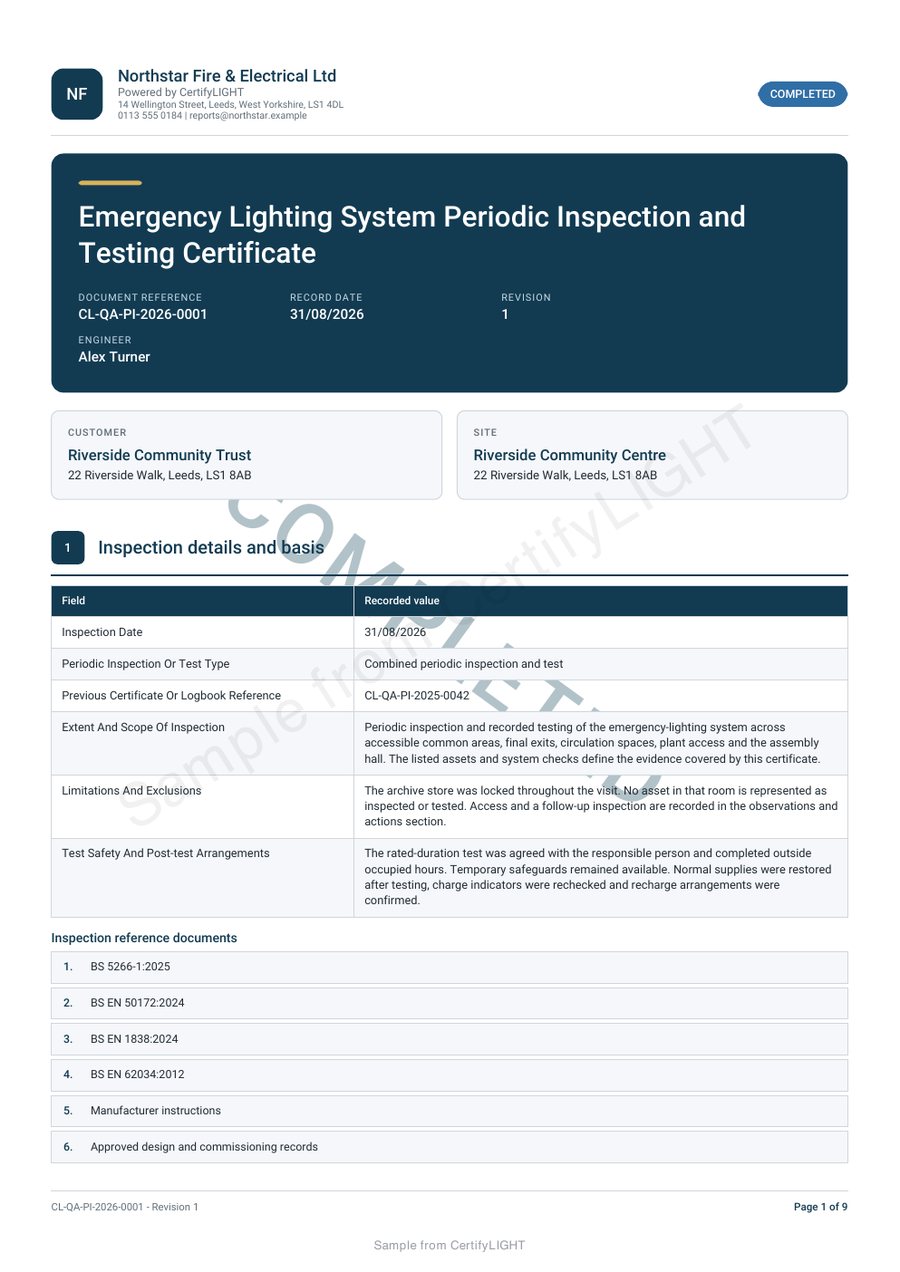
Review the schedule and the completion information together.
The CertifyLIGHT sample shows site information, inspection tables, schedules, completion status and engineer sign-off. Open the full PDF to assess whether its structure fits the document you need to issue.
Confirm the available inspection, testing or completion record for your intended work. The professional remains responsible for the correct checks, results and review; the sample is not a testing procedure.
Prepare a handover your customer can keep.
Company branding identifies the business that carried out the work. Check the available logo and colour options alongside the readability of results and notes. A building manager can receive the finished PDF without subscribing to the app.
See CertifyLIGHT for product information and the engineer workflow for evaluation questions. For separate fire alarm documents, explore CertifyAlarm.
Before you choose
Can I see the detailed test schedule?
Yes. Open the complete emergency lighting sample PDF from the linked sample page.
Is emergency lighting included in the fire alarm app?
Do not assume one app or subscription includes another. CertifyLIGHT and CertifyAlarm have separate product and plan information.
Can I use the sample for a real building?
No. The example data and watermark make it an evaluation sample. Create and review the appropriate record for the actual work.
Find the right plan for your work.
Review CertifyLIGHT plans or ask about a specific document or setup. Free starter access is an evaluation route; included features and limits depend on the selected app and plan.
Start with your trade app
CertifyLIGHT
Direct link coming soon
Need access or plan information now? Request help from the team.