
Emergency lighting record organisation
Make each emergency light identifiable in the report.
Keep a stable reference and a useful location description for each item. Link the current visit's recorded results and findings to the right light so the next reader can understand the schedule without having attended the visit.
Published by CertifyApps on . All document guides.
What makes an asset reference useful?
A reference works when it helps distinguish one item from the others and remains consistent in the site information and report. In a fictional example, EL-014, first-floor landing by the east stair gives more context than ‘upstairs light’.
Use the identification already established for the installation where appropriate. If references need correction, preserve a clear connection to the earlier information rather than silently reusing an old number for a different item.
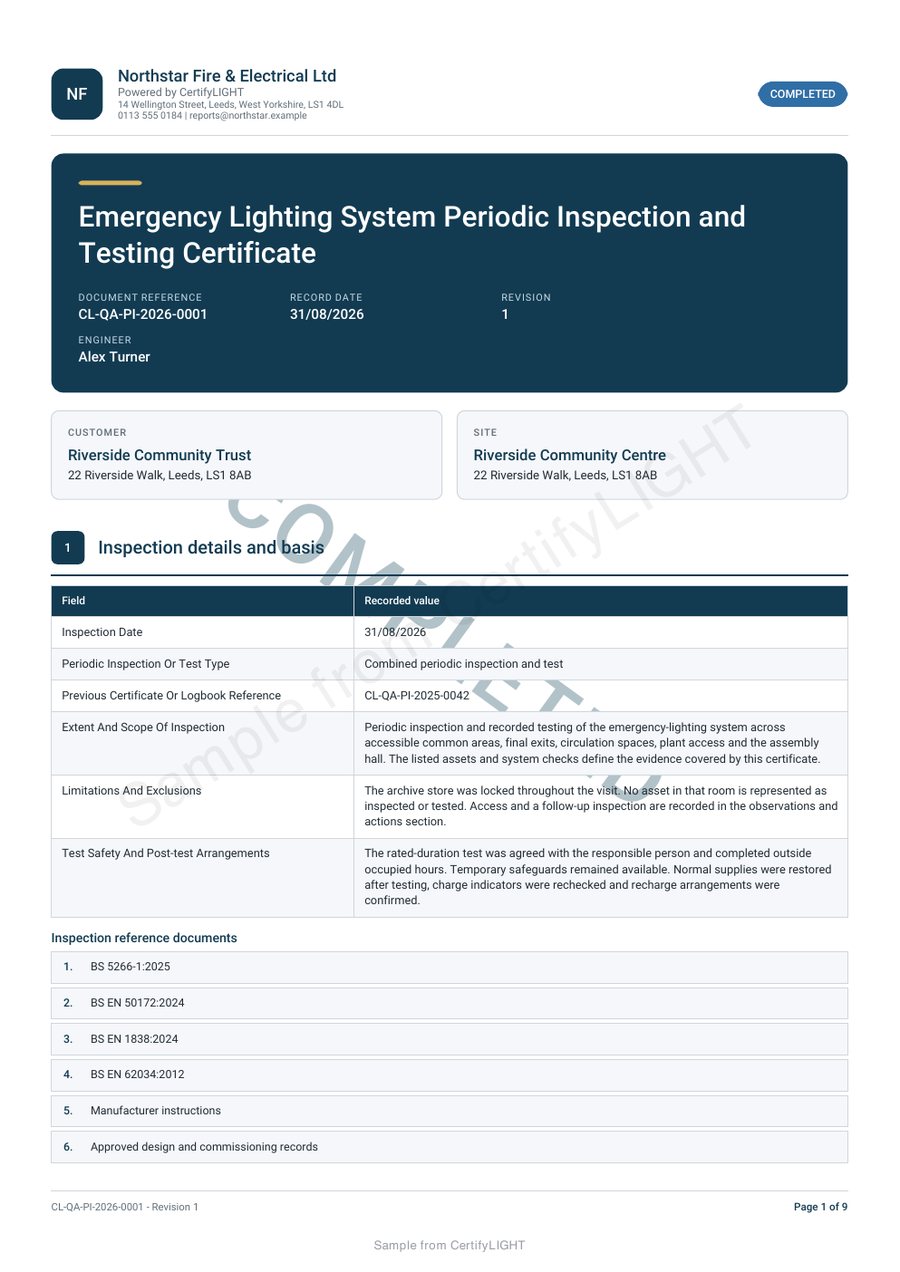
Inspect the CertifyLIGHT sample PDF.
Review the full emergency lighting inspection report, not just its first page. The sample shows example company branding and an app-specific watermark.
Company logos and available colour controls help make your own documents recognisable. Check the options for your app, document and plan.
Separate the asset list from visit results.
A list identifies what is present; a visit record describes the work and findings at a particular time. Carrying an identifier forward does not establish that a light has been checked or has a satisfactory current result.
GOV.UK’s maintenance guidance includes checking emergency lighting and recording equipment faults. This guide is about organising the resulting information, not specifying a test method, duration or interval.
- Verify the current location and identity.
- Record the visit and document type actually undertaken.
- Keep findings associated with the correct item.
- Make missing information or limitations explicit through the appropriate fields.
Make replacements and location changes traceable.
If equipment is replaced or an area is renamed, the next engineer needs to understand what changed. Record the relevant current details and use your business’s record process to retain the relationship with earlier reports.
Do not delete an inconvenient historical finding merely to make the latest schedule look tidy. The current record should describe the actual visit, while the issued history remains distinguishable.
Check a realistic schedule before adopting software.
Evaluate with several locations, a longer description and enough entries to continue over a page. Check whether you can identify the same item in the schedule and associated notes after export.
Try the device your engineers will use and confirm the exact report required. An example PDF demonstrates document output; it does not establish automatic asset imports, printer compatibility or every team feature.
Hand over a document the building team can file and understand.
Use a clear site reference, visit date, issuing business and document description. Company logos and available colour controls can provide consistent branding without competing with the schedule.
Review CertifyLIGHT, the lighting report workflow and the PDF handover checklist. The building manager can receive the PDF without subscribing. Where an organisation employs the engineers directly, evaluate the app for those professional users.
Before you choose
Is an asset register the same as a test report?
No. An asset register identifies equipment. A visit report records the particular work and findings. An equipment list alone does not show that a test was carried out.
Should a previous satisfactory result be copied into the next visit?
No. The new record must reflect the actual current work. Reusing an identifier is different from reusing a test conclusion.
What if a fitting is moved or replaced?
Record the current identity and location and preserve a clear relationship with the previous information through the business's document process.
Does this guide set the testing interval?
No. Use the applicable requirements, system information and competent professional advice for the actual installation.
Choose the app for your professional work.
Review CertifyLIGHT plans, explore free starter or ask about an essential document or device requirement. Direct registration and purchase links are not yet active on this website; the enquiry route does not start a paid subscription.
For software support, email [email protected]. For findings or safety questions about an issued record, contact the professional who carried out the work.
Start with your trade app
CertifyLIGHT
Direct link coming soon
Need access or plan information now? Request help from the team.