
Choose within the CertifyApps family
Which Certify app fits the documents you create?
Start with your trade and the actual certificate, report or record you issue. Use this guide to find the relevant Certify app, inspect its customer output and check the plan information before requesting access.
There is no single best app for every trade.
An electrician reviewing an EICR needs different fields and schedules from a PAT tester organising appliances. A fire alarm engineer’s system documentation is different again. Match the product to the required output instead of choosing by the broad word certificate.
This is a CertifyApps-authored guide to our own products, not an independent ranking of the software market. For a provider-neutral test method, use the workflow comparison guide.
Compare the seven Certify apps
| App and professional | Typical documents | Inspect the output | Product and plans |
|---|---|---|---|
| CertifyPAT PAT testers, electrical contractors and in-house testing teams | PAT certificates, appliance registers, test results, labels and retest planning. | View PAT certificate sample | Review plans |
| CertifyGAS Gas engineers and gas service businesses | Gas safety records, servicing documentation, inspection records and warning notices. | View Landlord Gas Safety Record sample | Review plans |
| CertifyELECTRIC Electricians and electrical contracting businesses | Electrical certificates, EICRs, inspection findings and circuit schedules. | View EICR report sample | Review plans |
| CertifyFIRE Fire risk assessors, fire engineers and fire safety businesses | Fire risk assessments, inspection findings and action-based reports. | View fire risk assessment sample | Review plans |
| CertifyLIGHT Emergency lighting engineers and maintenance contractors | Emergency lighting inspection, testing and completion records. | View emergency lighting inspection report sample | Review plans |
| CertifyAlarm Fire alarm engineers and specialist alarm contractors | Fire alarm verification, installation and service documentation. | View fire alarm verification certificate sample | Review plans |
| CertifyECO Heat pump and renewable installers | Installation, inspection and handover records for renewable systems. | View heat pump installation record sample | Review plans |
Use the current details for the particular product, document and plan. This guide does not establish feature parity or measured performance across providers.
Different trades need different document structures.
A gas record, lighting schedule and renewable installation record do not contain the same information. Inspect the complete PDF for your discipline and confirm the exact document required for your work.
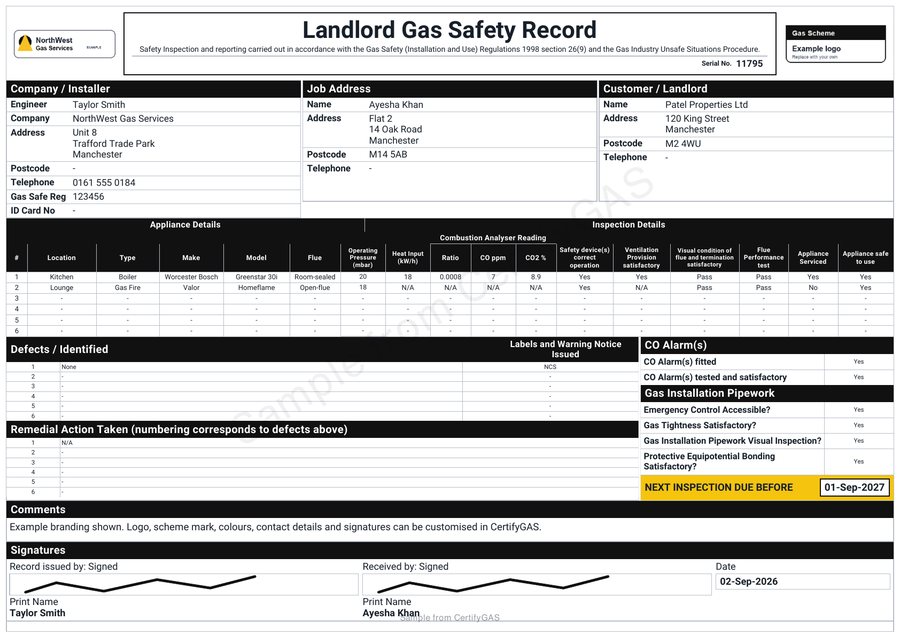
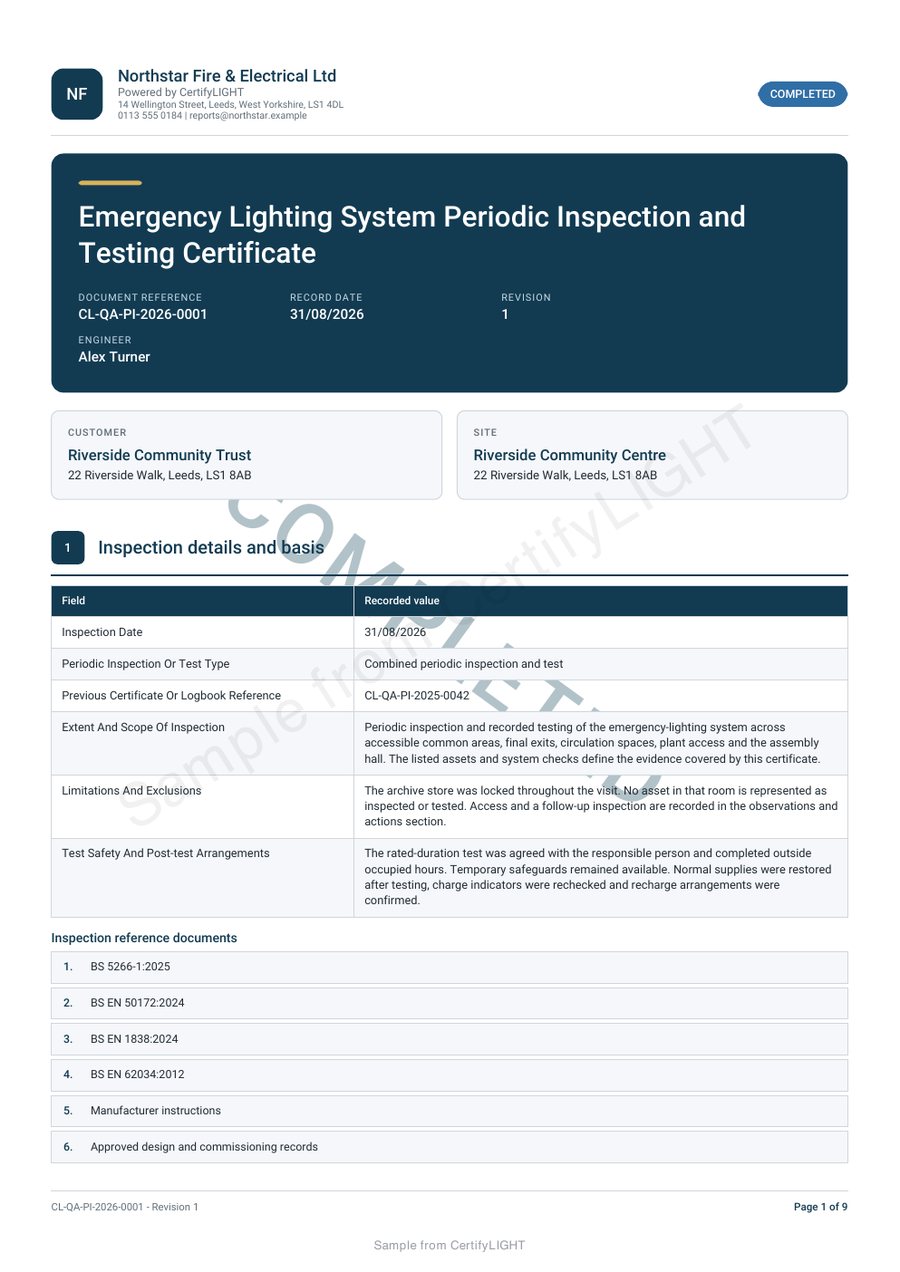
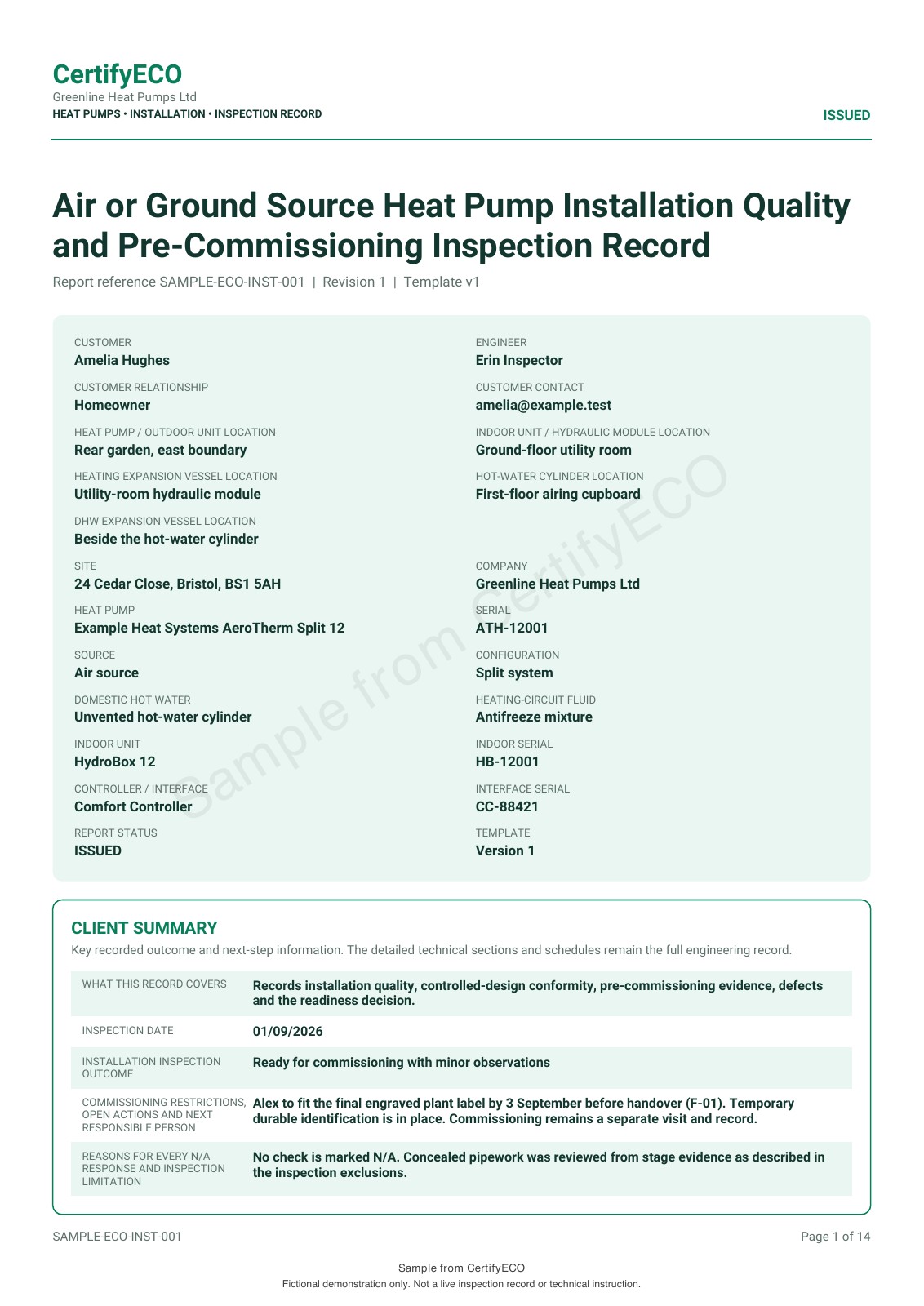
Use the sample to check the document, then test the workflow.
The public samples use example business details and app-specific watermarks. Open the full PDF to review readable tables, longer notes and sign-off. The gas sample uses a black theme; other samples show coloured layouts.
Customisable company logos and colours are part of the offering, with controls varying by app, document and plan. A sample is evidence of an example output, not a promise that every branding option is included in every plan.
For more than one trade, check each app separately.
A business may use different products for different professionals. Do not assume one subscription includes the whole family or that every feature is identical across apps. List the document types and people creating them, then confirm the relevant plan arrangements.
Customers who receive the completed PDFs do not need subscriptions simply to read them. For a wider rollout, use the team guide and identify your document creators separately from recipients.
Choose a low-commitment next step.
Free starter options cover all seven apps. Use the access-request page to select your app and device, or ask about an essential requirement before choosing.
Requesting access on the website does not take payment or start a paid subscription. Review the product-specific limits, user arrangements and purchase terms when you are ready to upgrade.
Before you choose
Is this an independent list of the UK's best certificate apps?
No. This page is published by CertifyApps to explain our seven products. It does not rank or test every provider in the market.
Which app should I choose for multiple trades?
Match each discipline and required document to its relevant app. Confirm the plans and users for the products you need rather than assuming one subscription covers all of them.
Is the free starter only for PAT?
No. Free starter options cover all seven apps. Access, included features and limits are product-specific and should be checked for the app you select.
Can I choose from the sample alone?
The sample helps you judge the customer output. Also test the required workflow and confirm devices, users, plans and any essential import or export needs.