
Company branding for trade documents
Professional certificates with your logo and colours.
Make the finished document recognisable as your work. CertifyApps brings together trade-specific records and branding options for eligible documents and plans, helping you present a consistent company identity without laying out a fresh document for every job.
Compare the finished customer documents.
These existing public samples use example businesses and app-specific watermarks. Open the complete PDF to inspect the tables and continuation pages, not just the header. They show example output; confirm the controls and export in the app version you will use.
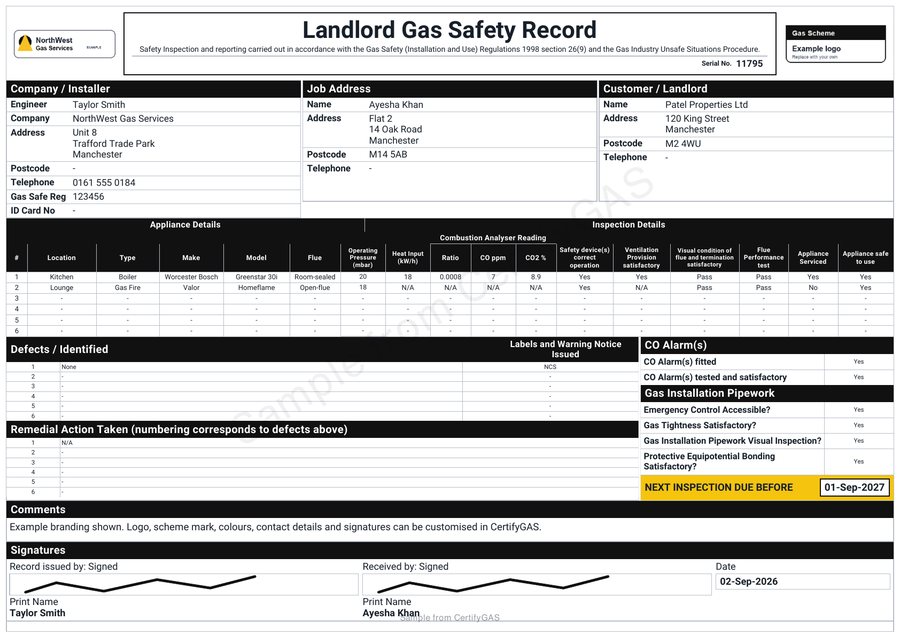
Landlord Gas Safety Record. Example data, not a record for a real job.
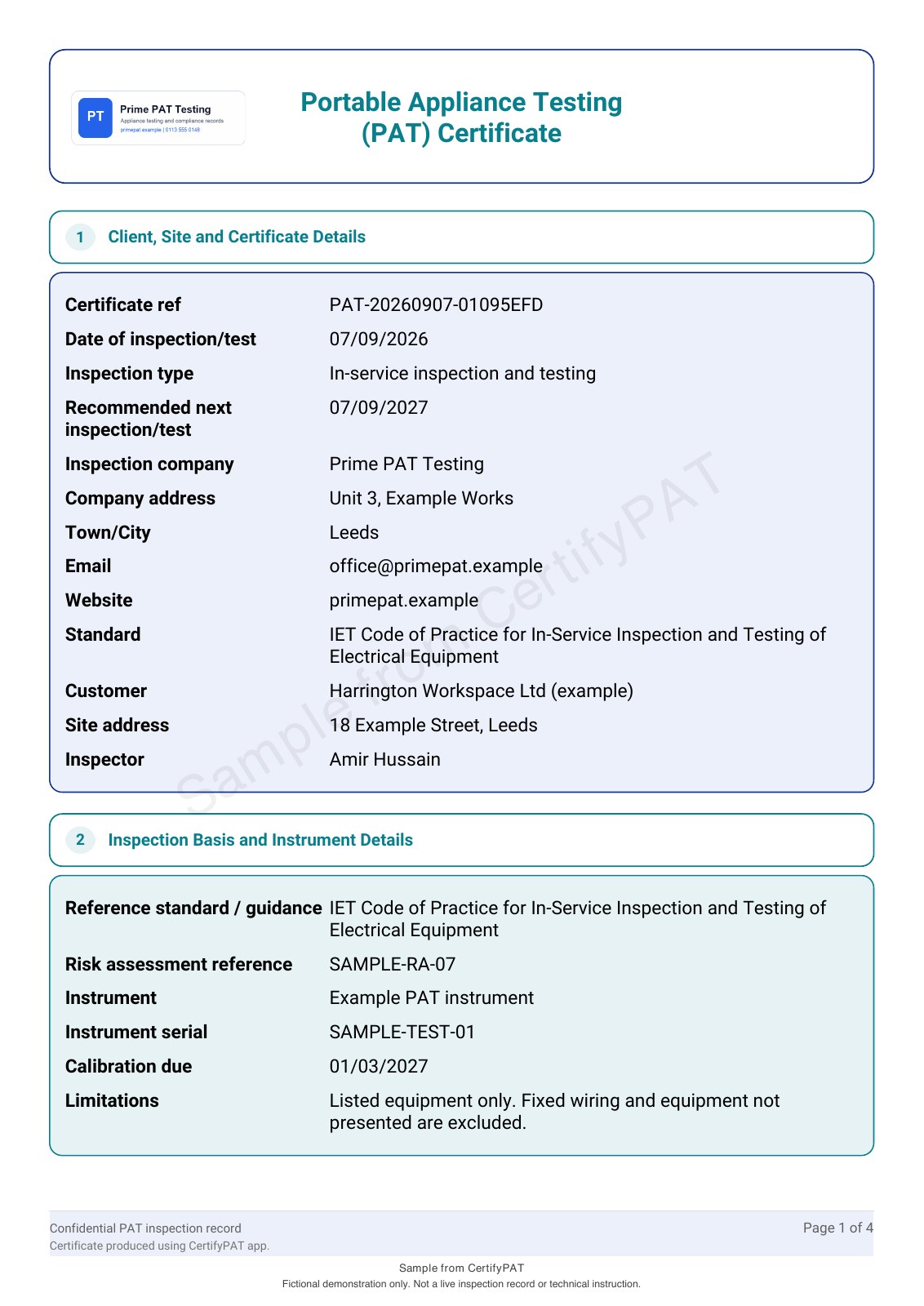
Four-page native PAT export, generated 7 September 2026. Paid logo and colour settings; fictional data, not a live inspection.
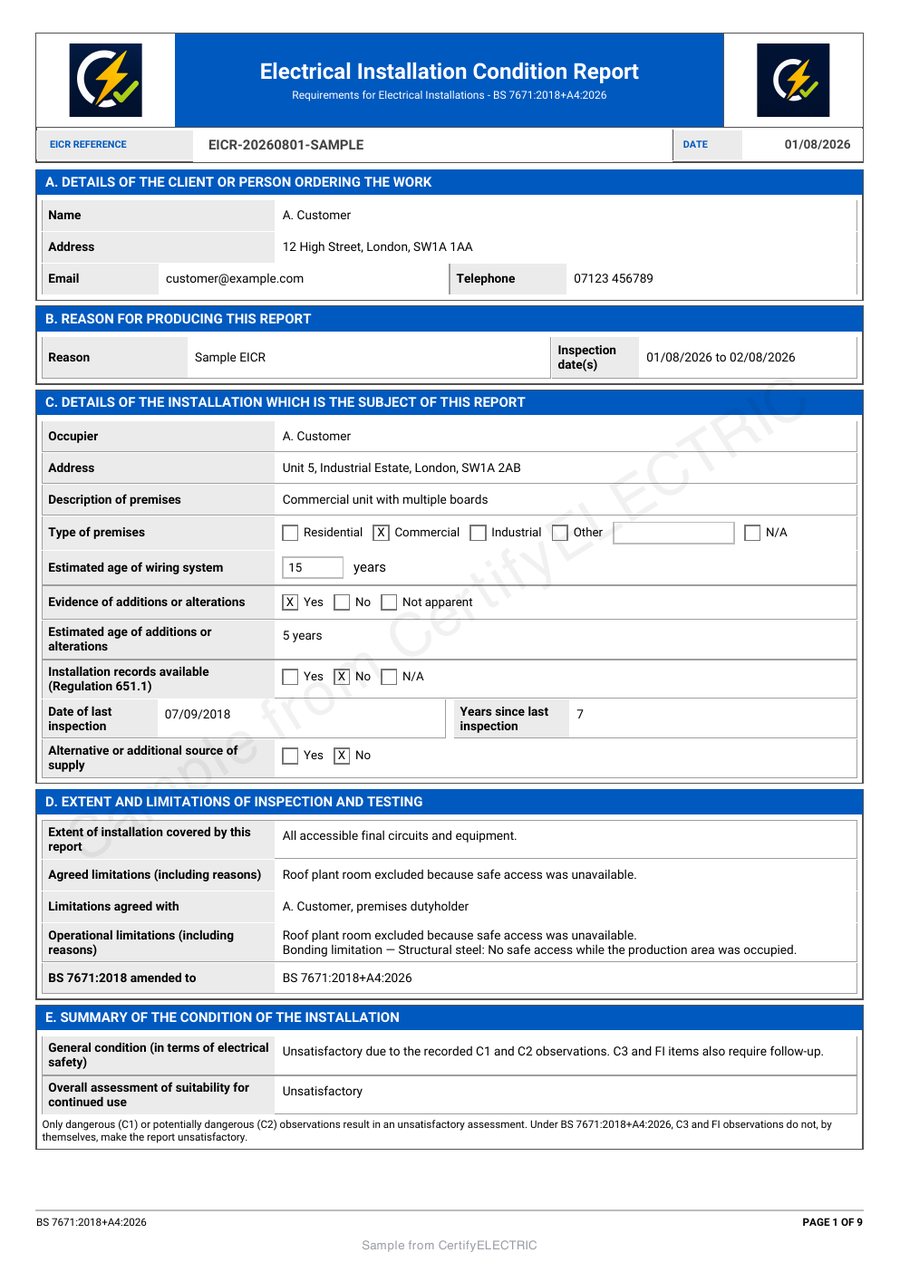
EICR report. Example data, not a record for a real job.
Your business identity, carried through to the customer.
Your customer should be able to see which business issued the record, which job it covers and how to contact you. A clear company name, usable logo and current contact details do that work together.
Where your app supports a saved company profile, use it to keep those details consistent. Review the selected profile before issuing a document, especially if you work for more than one business. A saved identity does not replace the current visit’s findings, date or professional sign-off.
Choose a document style, not just a favourite colour.
Brand colours can help organise a report and make your business recognisable. The results, scope and longer notes must remain easy to read. A dark gas record, a coloured PAT schedule and a multi-page EICR have different layout demands.
The black CertifyGAS example is a sample treatment, not a rule that every gas document must be black. Other samples retain colour. A colour shown in a sample does not prove that it can be changed in every app, template or plan.
Read the written findings rather than relying on colour alone. This also follows the principle in W3C’s guidance on use of colour; it is not a claim that every sample has passed a full accessibility audit.
Check your branding on a realistic example.
- Choose the exact app and document.
Use the certificate or report you regularly issue. Confirm the branding controls included in the selected plan.
- Prepare the business identity.
Use a clear logo file, the issuing business name and current contact details. Check the upload formats and any separate professional-mark controls in the app.
- Include a full schedule and a longer note.
Use fictional job details so you can evaluate page breaks, repeated headings and detailed tables without sharing customer records.
- Review every exported page.
Look at the PDF on the device your customer is likely to use. Check the logo size, company details, written results and sign-off. Print an example if paper copies matter to your business.
- Confirm the plan before paying.
Check whether the required branding is included, whether your preferred document supports it and how the same record looks after export.
Keep your identity separate from scheme marks and signatures.
Use only company or professional marks you are entitled to display, following the issuer’s rules. Uploading a logo does not establish scheme membership or approval of the work. A permitted scheme mark should remain distinguishable from your own business logo.
The responsible professional reviews and signs the record. Do not use a saved signature or historical finding to suggest that a new visit has been reviewed. Manufacturer documents and third-party certificates retain their own issuer and identity.
Check the document, device and plan together.
Logo uploads, saved profiles, document colours and layout choices are separate capabilities. They are not necessarily available in every template or included in the same plan. The published CertifyPAT comparison places custom branding in paid plans; that does not establish the terms for the other apps.
For an essential requirement, tell us the app, exact document, device and the change you need. For example: “CertifyGAS, Landlord Gas Safety Record, on my iPad; I need my company logo and a black heading style.” This is more useful than asking whether every document is fully customisable.
Free starter options cover the family, with product-specific access and limits. The website access form sends an enquiry; it does not create an account or begin a paid subscription.
Find the example for your trade.
Each app has its own document structure. Compare the relevant output and plan instead of assuming the same branding controls across the family.
| App | What to inspect | Sample and plan |
|---|---|---|
| CertifyGAS | Company, customer and work address; readable appliance rows; black sample headings. | |
| CertifyELECTRIC | Business identity alongside observations, board references and long circuit schedules. | |
| CertifyPAT | Company details, appliance identifiers, result columns and continuation pages. | |
| CertifyFIRE | Clear issuer, assessment scope, findings and action information. | |
| CertifyLIGHT | Company identity without losing readable location and equipment schedules. | |
| CertifyAlarm | Business identity, system scope and responsibility-specific declarations. | |
| CertifyECO | The installation record alongside separate manufacturer and scheme documentation. |
Before you choose
Can I put my company logo on a CertifyApps document?
Company branding is part of the CertifyApps offering. Check the logo control for the exact app, document and plan you intend to use, then review your own exported example before purchasing on that basis.
Can every colour in every document be changed?
Do not assume that. Some document styles use fixed colours, while other workflows provide colour settings. A coloured sample is not proof that every part of that document is editable.
Is custom branding included in every free starter?
No such family-wide inclusion is promised. The published PAT comparison places custom branding in paid plans. Check the current starter and paid-plan details for each app.
Does the black gas example mean I must use a black theme?
No. Black is the treatment used in the public gas sample. Confirm the style controls available for your chosen gas record and plan.
Can I remove the sample watermark and use the public PDF for a job?
No. Public samples contain example data and are for evaluation. Create and review a new record for the actual work in your app; do not reuse the public sample as an issued certificate or report.
Does my customer need an app subscription to read my PDF?
No. The professional uses the app to create the record. Customers, including landlords and building managers, do not need a subscription simply to receive and read the exported PDF.
See your own business on the finished document.
Choose the app for your trade, inspect its sample and request access to evaluate the document you actually issue. For a specific logo, colour or layout requirement, the team can help you check the relevant options.
Direct signup and checkout links are not yet active on this website. For software questions, email [email protected]. Use the customer-ready PDF checklist before issuing your own document.